Turning risky remote commands into safe, predictable workflows.
Web SaaS
Fleet IoT
FOTA
Lead Designer
1 Month
Unlike standard SaaS, IoT commands carry a physical risk.
Sending a firmware update to a connected vehicle isn't like saving a file. If something goes wrong mid-transfer — wrong file, wrong device, lost connection — you don't get an undo. You get a bricked vehicle.
Command Center is one of 12 modules within Vec-TR, Vecmocon's fleet management SaaS. But it sits at the most critical point in the system: the downstream direction, where instructions travel from the dashboard back to physical hardware.
The VIM (Vehicle Intelligence Module) acts as the brain of each connected vehicle, aggregating telemetry and receiving commands.
The Problem? Every deployment was an act of faith.
The engineering team was managing firmware updates through a custom Python script. We interviewed engineers, shadowed their workflow, and studied how the industry approached this problem. Three distinct failure modes kept surfacing.
1
Decentralized data & version chaos
Firmware files lived on local drives and were shared over chat. No single source of truth, no version control — engineers weren't always sure the file they were deploying was the right one.
2
High cognitive load, no guardrails
The script would run whatever you gave it. No compatibility checks, no staging environment. The entire burden of getting it right sat with the person at the keyboard.
3
Operational blindness
Once a command was triggered, it entered a void. No real-time progress, no way to pause or abort. If something started failing, you could only wait for it to finish.
Turning distress into control.
Positive
Friction
In most software, friction is the enemy. Here, the right amount of friction is the point. When someone is about to push a change to hundreds of vehicles, the mindset is already "I need to be careful." The design's job is to make that carefulness easier — to shift the memory load from the person to the system.
We also studied how competitors — Bytebeam, Memfault, Sibros — had approached the space, not to copy patterns but to understand which ones the industry had already converged on and why.
File Management: Solving the file chaos first.
Before a command can be created, the right file needs to exist in a trustworthy state. We rebuilt how firmware enters the system entirely.
Structured metadata ingestion
Files are ingested with version number, device type, and hardware compatibility tags — giving the system what it needs to validate automatically rather than trusting human memory.
Default-to-safe staging
Every uploaded file lands as Inactive. It cannot be used in a deployment until someone explicitly reviews and activates it — a forced pause before anything reaches a device.
Role-based activation
Only authorized leads can clear a firmware version for field deployment. Accountability is built into the flow, not added as an afterthought.
Command Creation: One decision at a time.
Creating a command used to be a single overwhelming action. We broke it into a four-step wizard — progressive disclosure that keeps the user focused and the system in control.
Step 1
Select File
Step 2
Select Assets (Devices)
Step 3
Advanced Settings
Step 4
Pre-flight Review
Contextual verification
Selecting a file loads a detail card inline — version, compatibility, device type — so engineers can verify without leaving the flow.
Intelligent guardrails + scalable targeting
Incompatible devices are automatically disabled with tooltips explaining why. Users can select individual assets for precision or deploy to pre-defined Asset Groups to reach thousands of vehicles in one action.
info
Only assets that are compatible with the selected file are enabled for selection.
DL23 7C 2244
(Hover/Touch)
Assets
Groups
Flexible triggers + timeout thresholds
Execution trigger
Manual mode stages the command and requires a second authorization. Immediate fires on confirmation. Different risks, different contexts — both supported.
Timeout threshold
User-defined retry limits prevent zombie commands — stuck operations that drain device batteries and clog the network.
Pre-flight safety check
A full summary of every choice made. Assets can still be removed here. It's the last checkpoint before commitment — designed to feel like genuine control, not a formality.
Command Tracking: What happens after you send it?
The old workflow ended when you hit run. This one was designed around what comes after.
Real-time campaign observability
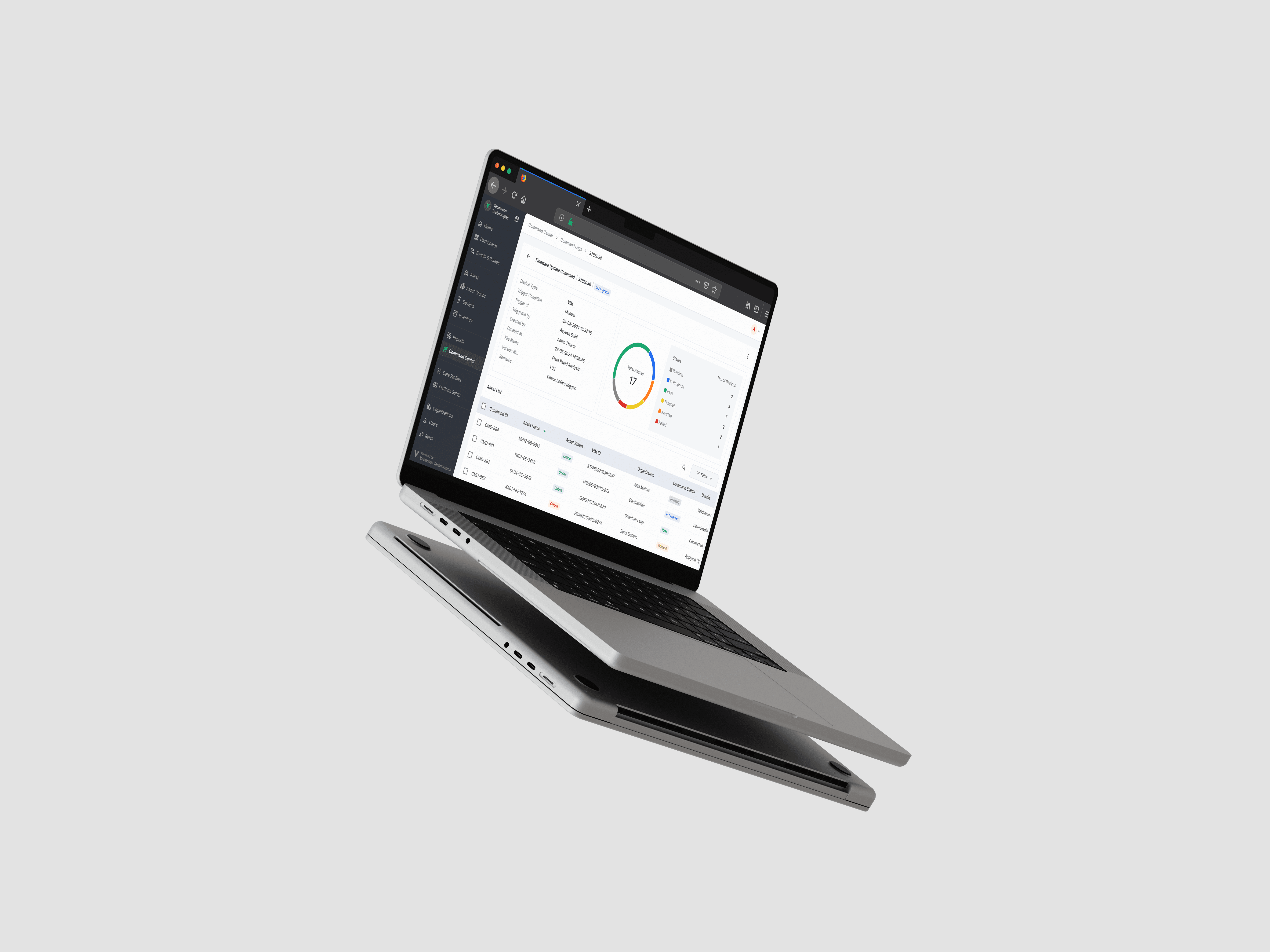
A macro-to-micro view: fleet-level health at a glance, with the ability to drill into individual device logs for debugging. Status broken down across Pending, In Progress, Pass, Timeout, Aborted, and Failed.
Prominent action states
Commands in Manual mode awaiting authorization are visually elevated — high contrast, prominent placement — so a pending deployment never gets buried.
Intervention & recovery tools
Reality is messy. Abort a runaway, retry specific failures, or edit a pending command without scrapping the whole batch. Granular recovery, not all-or-nothing.
Outcome: From dread to control.
The engineering team has fully moved off the Python script. Command Center is now the standard way firmware and configuration changes are deployed across the fleet.
Adoption
100% of fleet operations now run through Command Center. The Python script is retired.