Battery Buddy Tool (BBT): Transforming a fragmented diagnostic tool into a unified desktop application.
Project Overview
Battery Management Systems (BMS) are the "brains" inside modern battery packs. To ensure safety and performance, engineers need a way to talk to that brain. The Battery Buddy Tool (BBT) is a desktop application used to monitor, configure, diagnose, and update BMS hardware.
Role
Lead Designer
Team
2 Designers , BMS Team, CXOs and Developers
Platform
Windows Application
Timeline
6 Months (Ongoing)
The Challenge
When I joined the company, the design team was only one month old. We inherited a legacy version of BBT that was hindering, rather than helping, the engineering process.
The legacy state was characterized by:
Data Obscurity
Critical fault data was buried in raw logs or required navigating multiple windows to find simple correlations.
Fragmentation
Configuration required a web tool, while monitoring required a desktop app. Both these platforms were buggy, crashed often, and were not responsive.
Poor Accessibility
The UI failed on low-end laptops, which constitutes the majority of our manufacturing clients' hardware.
Internal testing cycles were slow due to poor tools, and customers struggled to diagnose field issues, leading to increased support tickets.
The Solution
The redesign focused on clarity, technical accuracy, and speed.
The Unified Dashboard
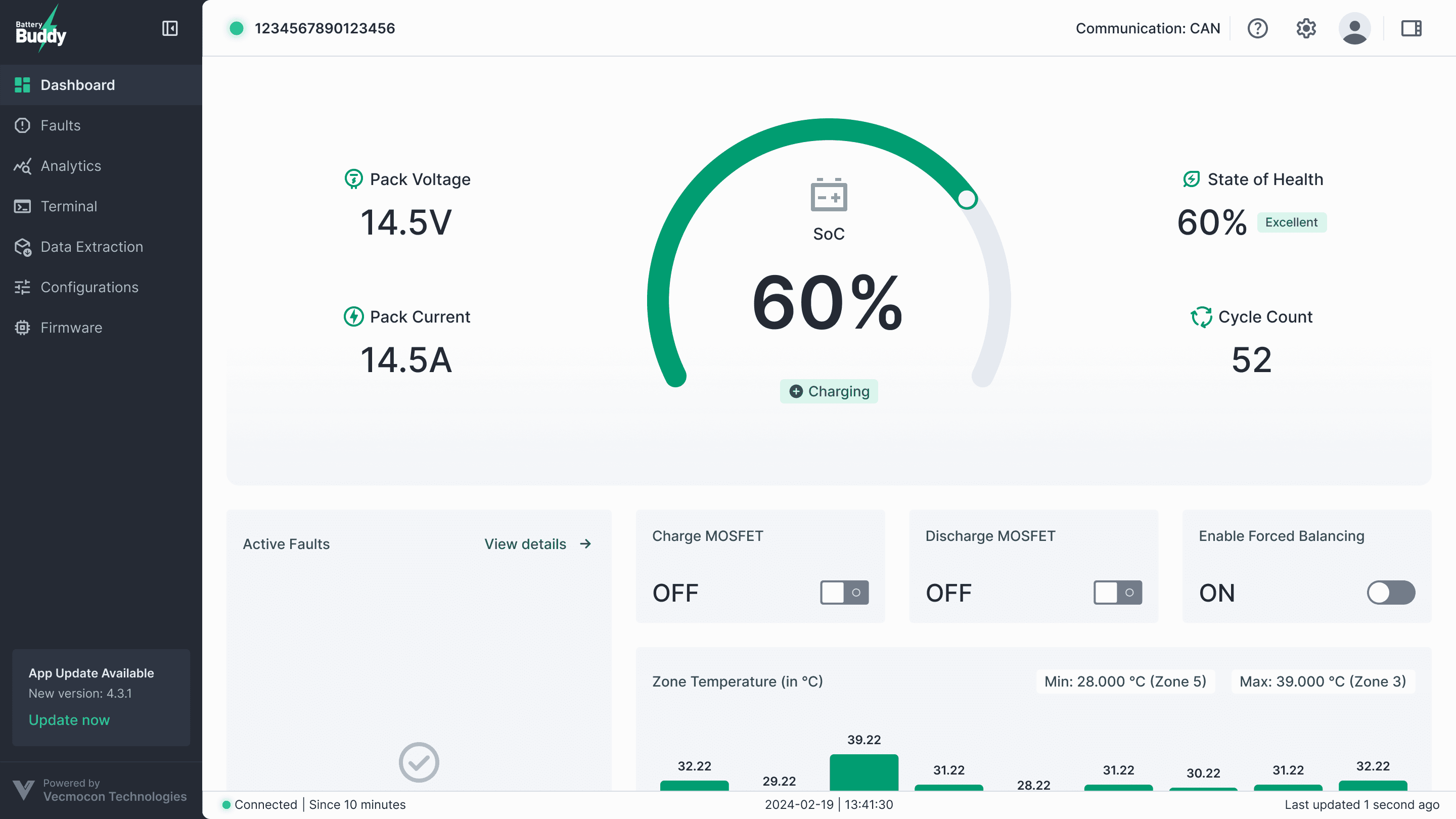
We created a widget-based dashboard that surfaces critical health parameters (Pack Voltage, Current, SOC) immediately. Visual hierarchy alerts users to faults instantly.
Custom Analytics & Data Viz
Previously, users exported data to Excel to understand trends. We built a custom graphing engine within BBT. Users can now toggle parameters on/off to visualize performance over time directly in the app.
Offline-First Architecture
To solve for users in remote factory areas:
Local Authorization: We designed a secure flow for firmware flashing and configuration that works without an internet connection.
Configuration Presets: Users can save "Presets" and share them, reducing human error during mass programming.
Results and Impact
The Phase 1 release has been fully adopted by internal teams and key customers.
100% Adoption Rate
The internal testing team has completely migrated from the legacy tool to BBT 2.0.
Reduced Testing Time
By unifying Configuration and Monitoring, we eliminated the need to switch between web and desktop apps.
Hardware Agnostic